

Malvertising is malicious advertising: ads that lead to scams, fake downloads or malware, delivered through the same ad networks that serve ordinary ads. It does not need a shady website. The ad slot on a news site or a recipe blog is sold through automated auctions in a fraction of a second, and a criminal can buy it like any other advertiser. That is what makes it worth understanding, and why blocking ads is a security measure as well as a comfort.
How malvertising works
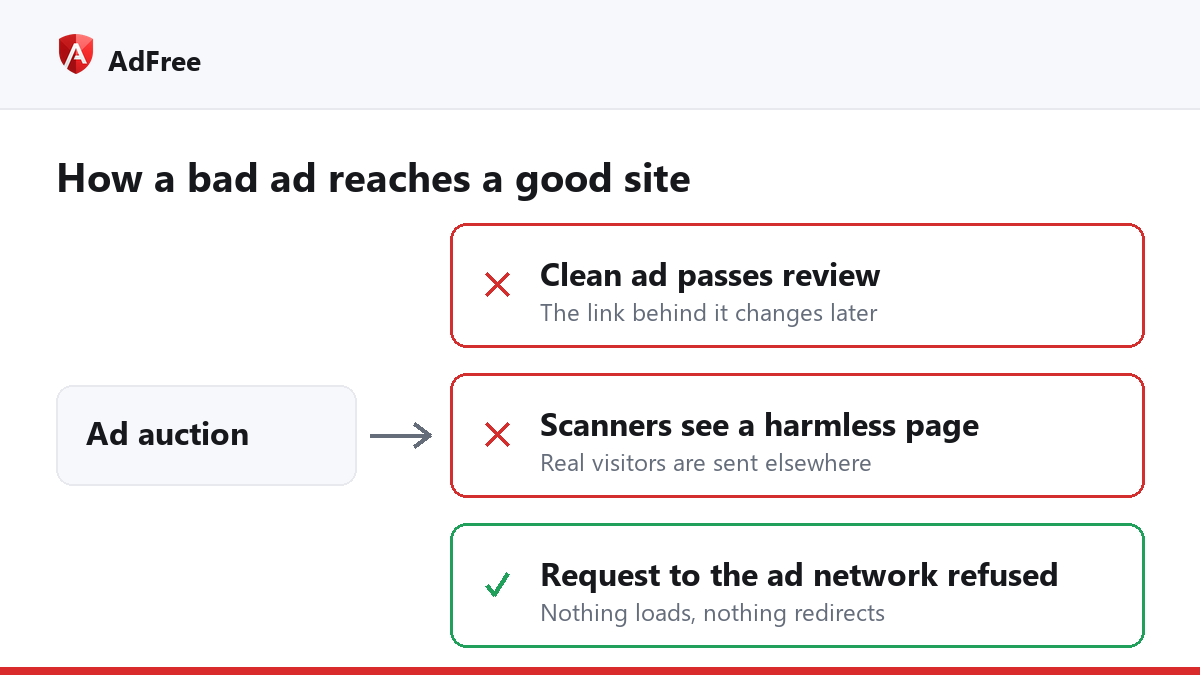
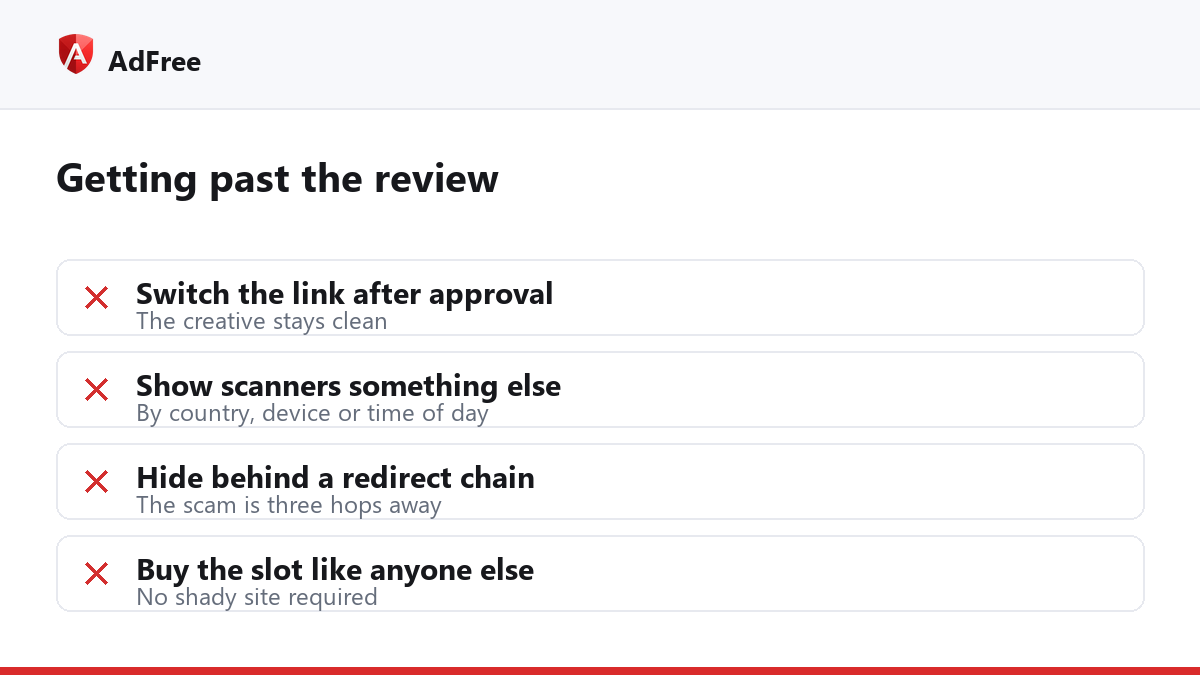
When a page with an ad slot loads, the ad network runs a quick auction and the winner’s ad is shown. Ad networks review ads, but the review sees what the advertiser chooses to show it. Criminals use a few tricks to get past it:
- Switching after approval. A clean ad passes review, and the link behind it is changed later.
- Showing different visitors different things. Reviewers and security scanners see a harmless page; ordinary visitors from a chosen country or device are sent somewhere else.
- Hiding in redirect chains. The ad links to a harmless-looking address that forwards the visitor through several others before landing on the scam.
The site owner usually never sees any of it. The ad was chosen by the network for that one visitor, at that moment, which is also why complaining to the site rarely achieves much: by the time anyone looks, the auction has moved on and a different advertiser is in the slot. The chains themselves are the same machinery described in our guide to ad redirects.
What malvertising looks like
| Form | What you see | Best defence |
|---|---|---|
| Fake download ads in search results | A top result for a free program that leads to a copy of the site | Type the official address yourself |
| Scareware redirects | A page claiming your computer is infected | Close it from the keyboard; never call |
| Fake prize or survey pages | “You have been selected” from a brand you know | Close the tab; enter no details |
| Fake browser update pages | A page saying your browser must be updated to continue | Update only from the browser’s own settings |
| Pop-unders to scam sites | A window found later behind your browser | A pop-up guard |
Scareware is the most common of these for most people; our guide to the fake virus alert shows how to close one safely.
Why blocking ads is a security measure
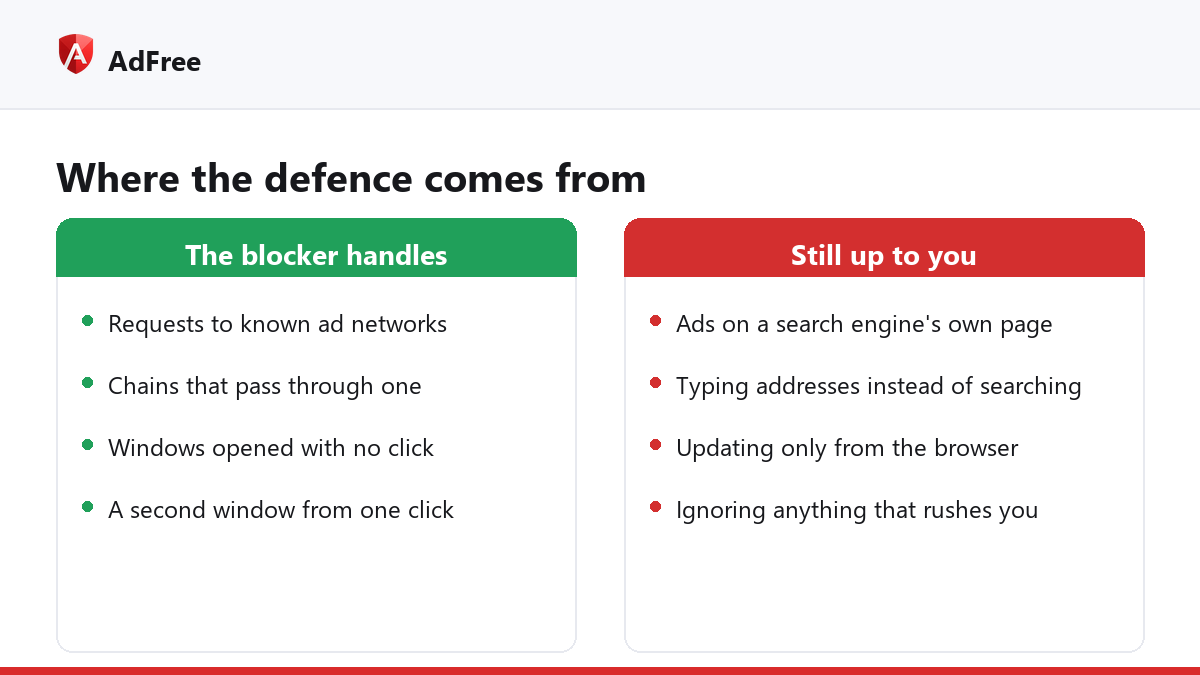
The FBI said so directly in a December 2022 public service announcement about criminals buying search ads that impersonate real brands. Its advice to users includes: “Use an ad blocking extension when performing internet searches.” It also recommends typing a business’s address into the address bar instead of searching for it, and checking the address before clicking an ad.
An ad that never loads cannot redirect you. AdFree refuses requests to known ad networks, which removes most of the routes above before anything appears, and its pop-up guard refuses windows opened without a click and extra windows from a single click. It cannot vouch for every ad: ads served from a search engine’s or a social network’s own pages are harder for any blocker to catch, so the habits below still matter.
Habits that protect you anyway
- Download software only from the official site, reached by typing its address or from a bookmark.
- Keep your browser updated; real updates never come from a web page.
- Leave the browser’s Safe Browsing protection switched on.
- Treat any page that creates urgency, with countdowns, alarms or prizes, as hostile.
- Choose a blocker you can trust; see whether an ad blocker is safe for what to check.
Three things worth being clear about
Infection without a click used to be routine, through weaknesses in the browser itself. On an up-to-date browser it is now rare, and almost everything you are likely to meet needs you to do something: click, download, install or telephone. That is reassuring and it is also the reason the advertising is designed to rush you.
A large, reputable site is no protection. It sells its ad space through the same automated networks as everyone else, so the slot beside a national newspaper’s article is bought the same way as the slot on a file-sharing page. The brand around the advertisement says nothing about who bought it.
And no blocker catches all of it. Most malvertising travels through ad networks, which is exactly what a blocker refuses, but advertising served from a search engine’s or a social platform’s own pages comes from the same servers as the content and has no separate address to block. That gap is where the habits above do the work.
Malvertising turns an ordinary ad slot into a delivery route for scams. Blocking ad networks closes most of that route, and typing important addresses yourself closes much of the rest.
Stop paying attention to ads you never asked for
No account. No tracking. No cost.