
Is an ad blocker safe? A good one makes your browsing safer, because it stops the ads that lead to scam pages and fake virus alerts. A bad one is one of the most dangerous things you can install, because it asks for the same broad access a good one needs. The difference is not in the permissions screen. It is in who made the extension and what they do with that access.
Why an ad blocker needs broad access
When you install almost any ad blocker, the browser warns that it can “read and change all your data on all websites”. That sounds alarming, and for a blocker it is unavoidable: hiding ad boxes and stopping pop-unders means working inside every page you open. Our article on how ad blockers work explains which layer needs what.
The catch is that a malicious extension asks for exactly the same access. That is the whole problem with treating the permission screen as a safety check: it describes what an extension could do, and every blocker worth having needs the same powers as the worst one in the store. Only the publisher’s track record tells you what it actually does.
How fake and compromised blockers behave
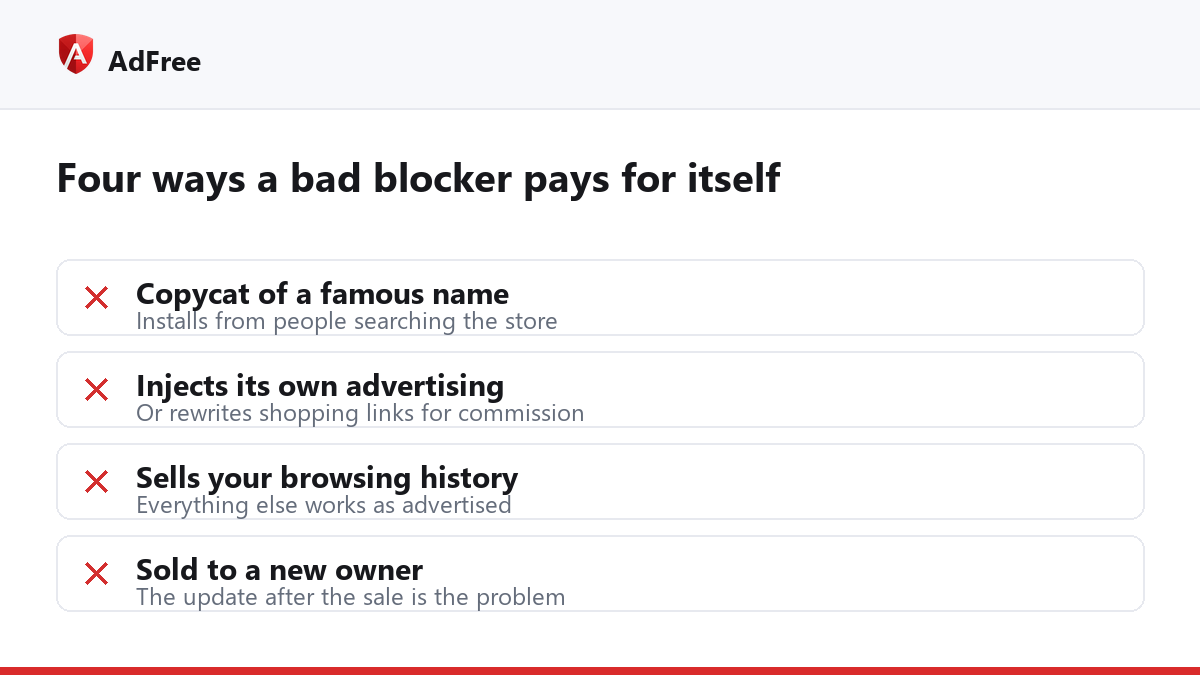
Four patterns cover almost all of it. Copycats take a name and logo close to a well-known blocker, collect installs from people searching the store, and have few reviews and no publisher website behind them. Ad injectors do block other people’s advertising, then insert their own, or quietly rewrite shopping links so that a commission goes to the extension’s owner rather than to the site that sent you there.
Data collectors are the quietest of the four: everything works exactly as advertised, and the list of pages you visit is packaged up and sold. And sold extensions are the one nobody can screen for in advance — a trustworthy extension changes hands, often for a sum that makes sense only because of its install base, and the new owner ships an update that does one of the three things above.
The Chrome Web Store’s program policies forbid all of this, and the store removes extensions that break them. Removal comes after the damage, though, so it pays to check before you install.
What makes an ad blocker safe to install
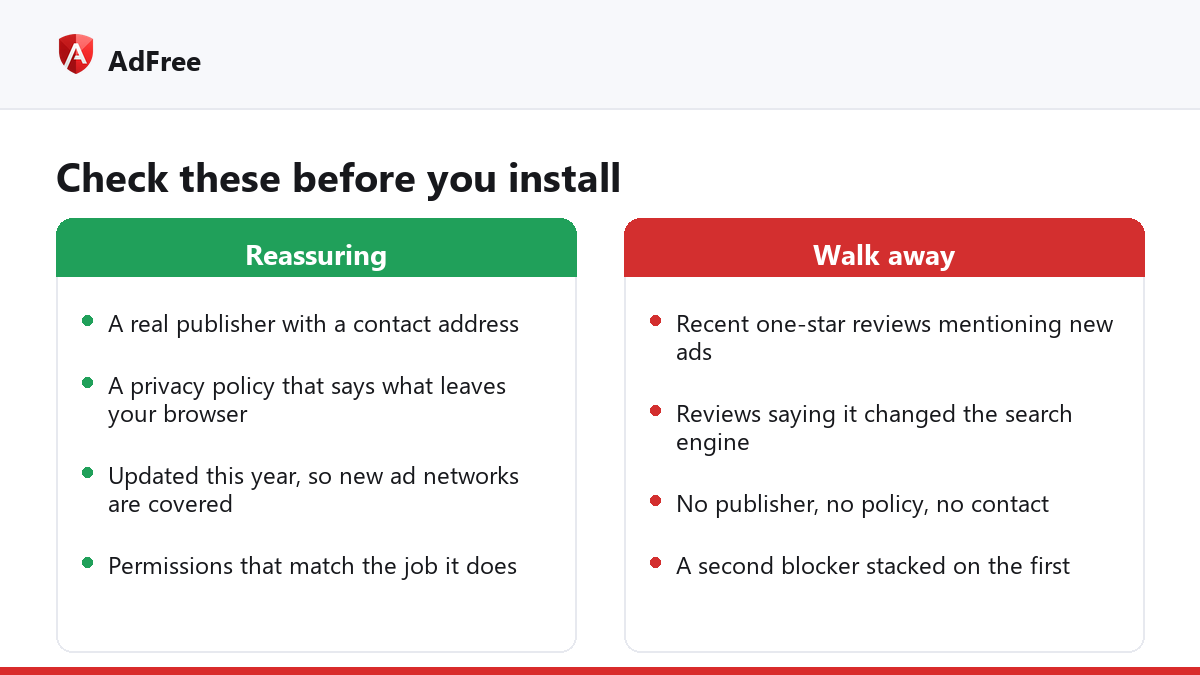
Start with the publisher. A real website, a contact address and a privacy policy mean there is someone to hold to account; their absence means nobody is. Then read the reviews, and specifically the recent one-star reviews rather than the average — “it started showing ads” and “it changed my search engine” are the sentences you are looking for, and they are always buried under thousands of older five-star ratings.
The privacy policy should say plainly what, if anything, leaves your browser; vagueness there is itself an answer. Check the update date, because a blocker that has not shipped anything in a year is falling behind on rules whatever its reviews say. And install one blocker, not two: a second one does not double your protection, it doubles the access you have handed out and breaks more pages than either would alone.
| Warning sign | Why it matters |
|---|---|
| No website or privacy policy | Nobody to hold to account |
| Recent reviews mention new ads or a changed search engine | A bad update may have shipped |
| Asks for permissions unrelated to blocking | Such as your downloads or browsing history |
| Promises to block ads in apps or on your TV | A browser extension cannot do that |
| Name almost identical to a famous blocker | Copycats rely on the confusion |
What AdFree sends
No browsing data. The pages you visit are never recorded or sent anywhere. AdFree sends a page address in exactly one case: when you press “Report an ad on this page”, so the ad can be blocked in an update. After an uninstall, the goodbye page receives the version, the browser type and a few anonymous counts, such as how many rules were loaded, which tell us whether the extension was working. Nothing in it identifies you or a page you visited. The privacy policy lists all of it.
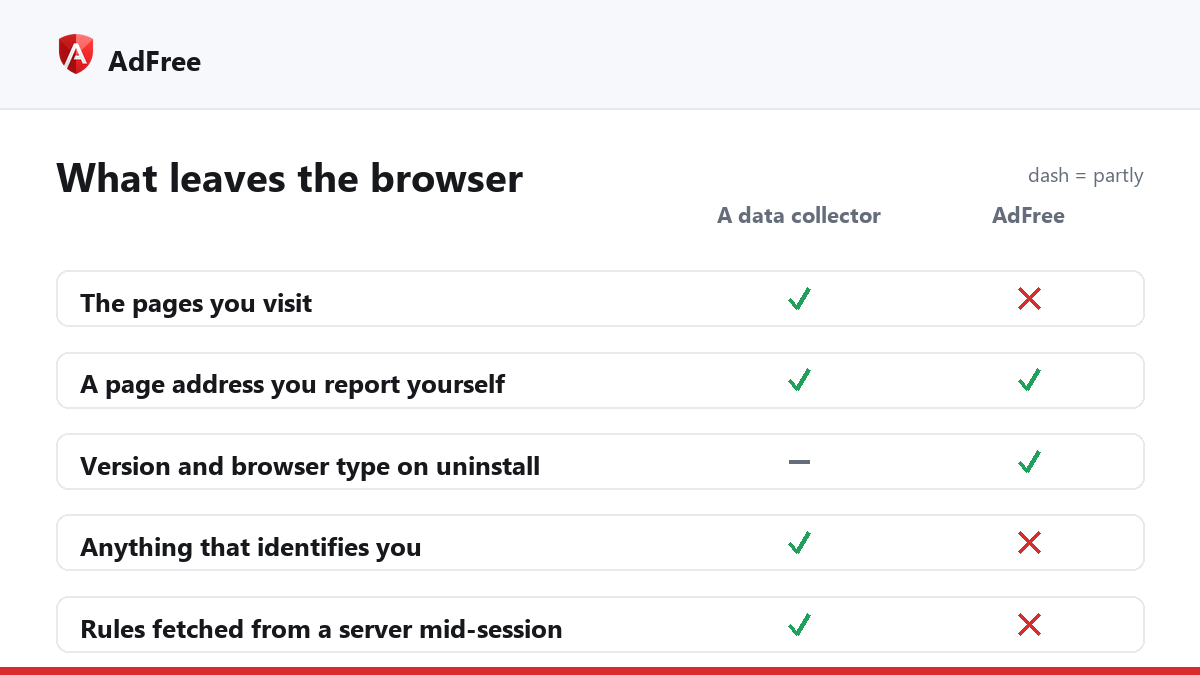
Its lists ship inside the extension instead of being downloaded while you browse, so every change passes through the browser store’s review before it reaches you. That is slower than fetching rules from a server — a new rule waits for the next update — and it means there is no channel through which the extension’s behaviour can be changed without anyone looking at it first.
Can an ad blocker see your passwords?
Any extension that works inside pages could technically read what is on them, including a password as you type it. That is true of every blocker, every grammar checker and every coupon finder, and no setting changes it. What protects you is the choice you made before installing: a publisher with a name, an address and something to lose.
If a blocker you already trust starts behaving strangely — new advertising, a changed search engine, a start page you did not choose — remove it from chrome://extensions first and investigate afterwards. Check your search engine and start page settings, which are what these updates most often change, and then install a replacement from a publisher you can actually verify. A malicious ad is a common route to a fake virus alert, and an extension that has turned into an ad network puts you closer to one, not further away.
So: an ad blocker safe enough to trust is one whose publisher you can find, whose recent reviews are calm and whose privacy policy is specific. Check those three, run one blocker rather than two, and remove it the moment it starts behaving like the thing it was installed to stop.
Stop paying attention to ads you never asked for
No account. No tracking. No cost.