
An ad blocker breaking websites is less common than it feels. When a page stops working, the blocker is the easiest thing to blame because it is the thing you installed most recently. Sometimes it really is the cause; often it is another extension, a stale cookie or the site itself. A few checks in the right order tell you which, and none of them require switching protection off everywhere.
What breakage looks like
- A video player that stays black or never shows its play button.
- A checkout, sign-in or “submit” button that does nothing.
- A page that keeps loading forever, or loads without its images or comments.
- A layout with large empty gaps, or a menu that will not open.
- A window that should open, such as a payment confirmation, and does not.
Ad blocker breaking websites: why it happens
Blocking works from lists of addresses and page elements. Most of the time the lists are precise, but three things go wrong. A rule meant for an ad server also matches a script the site needs, so the page waits for something that never arrives. A rule that hides ad boxes also hides a real element with a similar name. Or the site loads its own features from a third-party address that looks like a tracker. All three are mistakes in a rule, not something wrong with your computer.
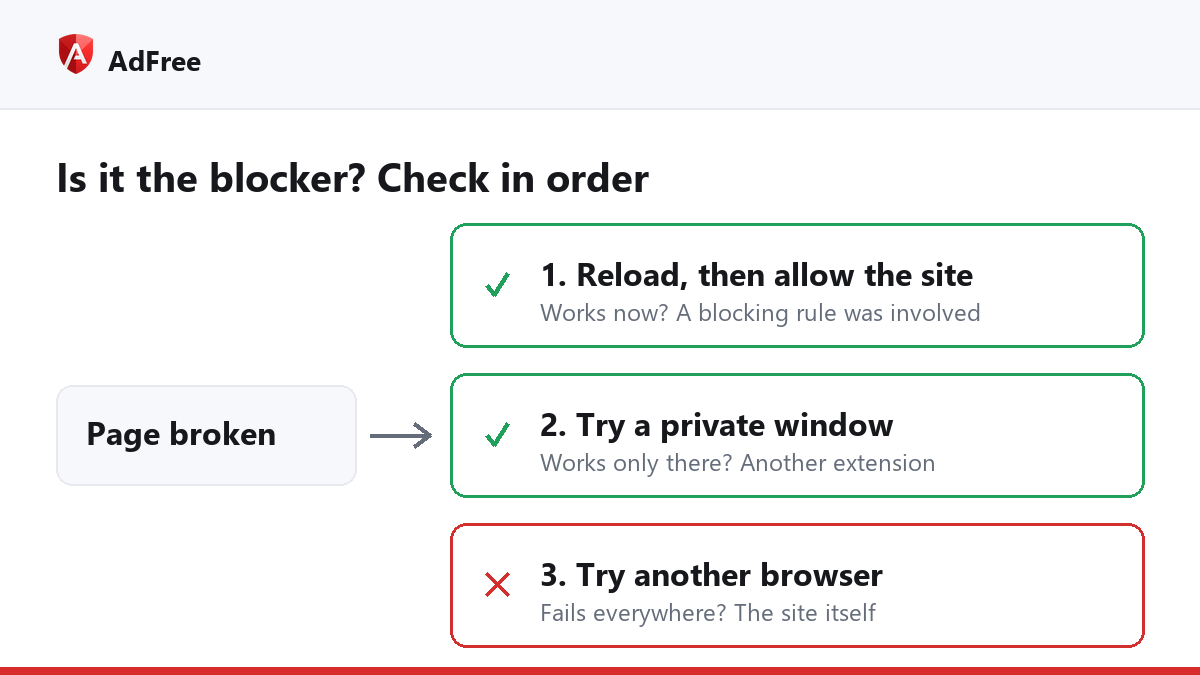
The checks, in order
- Reload once. A page that half-loaded on a slow connection often looks broken. A plain reload fixes more cases than anything else.
- Allow the site and reload. In AdFree, click the toolbar icon on that site, switch the row to “Allowed on this site” and press “Reload the page to apply”. If the page now works, the blocker was involved. If not, switch it back: the cause is elsewhere.
- Try a private window. Chrome turns extensions off in Incognito unless you allowed them, as Google’s Incognito help page notes. If the page works there but not with the blocker allowed, another extension is the cause. Switch them off one at a time to find it.
- Clear that site’s cookies. An old sign-in or a stale setting can break a page in ways that look exactly like blocking.
- Try another browser. If the page fails everywhere, the site itself is having a problem.
| Result | What it means | What to do |
|---|---|---|
| Works after a reload | A one-off loading problem | Nothing |
| Works with the site allowed | A blocking rule hit something the site needs | Keep the site allowed, and tell the developer |
| Works only in a private window | Another extension, or a stale cookie | Find the extension; clear the cookies |
| Fails in every browser | The site is down or broken | Wait and try later |
Fixing it without losing protection
Once you know the blocker is the cause, allowing that one site is the clean fix. Our guide on how to whitelist a site explains what changes when you do. Everything else stays blocked.
AdFree also lets you switch individual blocklists on and off under “Blocklists” in its pop-up, such as “Tracking & telemetry”. That is a wider change: a list switched off is off on every site, so it is better as a test than as a fix. If one list turns out to be the cause, turn it back on and allow the site instead.
Tell the developer when a rule breaks a site, through the support link on the extension’s store page. Rules are fixed one report at a time, and a specific address plus a short description of what failed is the most useful report there is.
Is it ever the pop-up guard?
Rarely. AdFree’s guard lets the first window from your click through, which covers sign-in and payment windows. A site that opens two windows from one click, or opens one with no click at all, will have the second one refused. If a window you need never appears, allow the site and try again.
Frequently asked questions
Why did a site break today when it worked yesterday?
Either the site changed, or the blocker’s rules were updated. Both happen often, and the checks above find out which.
Should I switch the blocker off while I shop?
No. Allow the one shop if it misbehaves. Shopping sites are also where ad redirects and fake offers are common.
The site asks me to disable my ad blocker. Is that breakage?
No, that is the site’s choice. You can allow it to support the site, or leave.
Suspect your ad blocker breaking websites? The fix is almost always one site on the allowlist, not protection switched off everywhere. Reload, allow, compare, and only then change anything wider.
Stop paying attention to ads you never asked for
No account. No tracking. No cost.