
The Twitch purple screen is a placeholder, not an error. When an ad was due and did not play the way Twitch expected, the player shows a purple panel for the length of the ad slot instead of the stream. It usually reads something like “commercial break in progress”, it ignores reloads, and then it disappears on its own. Once you know why it appears, it stops being a mystery.
Why the Twitch purple screen appears
Twitch writes its video ads into the stream itself, as explained in our guide to adblock on Twitch. When an extension, a script or a proxy interferes with that process, Twitch can tell that the ad did not run. It does not hand you the stream early as a reward; it holds the ad slot open and shows the purple placeholder for its full length.
Twitch has said as much about its embedded players. A Twitch staff reply on the Twitch developer forums describes the purple message on embeds as a measure aimed at ad blocking. The main site behaves in the same spirit.
Purple screen, black screen or a normal ad?
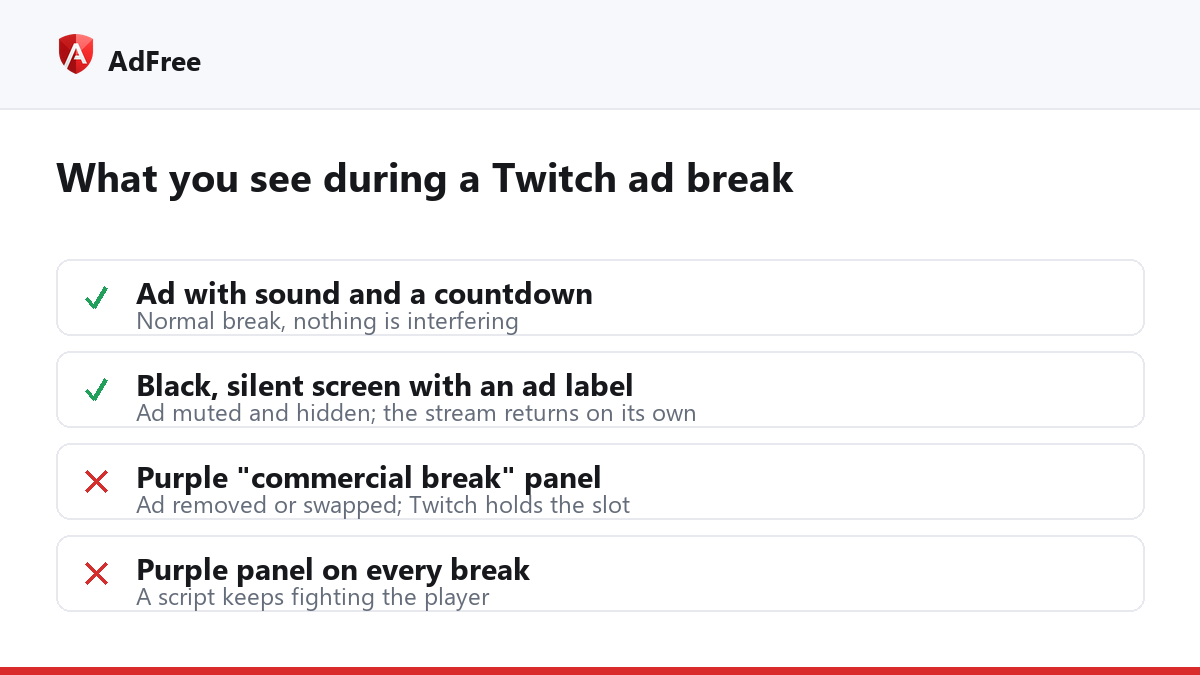
Three different things can happen during a Twitch ad break, and they look different for a reason:
- A normal ad. The ad plays with sound, with Twitch’s ad label and a countdown. Nothing is interfering.
- A purple screen. Something tried to remove or swap the ad, and Twitch replaced the slot with its placeholder.
- A black, silent screen with Twitch’s ad notice. The ad is playing, but an extension has muted and hidden it. This is what AdFree does on Twitch: it does not try to remove the ad, so Twitch has no reason to show the purple panel.
| What you see | What is happening | What to do |
|---|---|---|
| Ad with sound and a countdown | Normal ad break | Wait, or mute the tab |
| Purple panel, “commercial break in progress” | Ad blocked or swapped; Twitch holds the slot | Wait for it to end |
| Black, silent screen with an ad label | Ad playing but muted and hidden | Wait; the stream returns by itself |
| Purple panel on every single break | A script keeps fighting the player | Turn that script off and compare |
| Spinning wheel that never ends | Player stuck between ad and stream | Reload once, then check extensions |
How long does the Twitch purple screen last?
As long as the ad it replaced. A pre-roll slot typically runs for under a minute; a mid-roll break started by the streamer can be longer. The panel is tied to the slot, not to your page, which is why a reload usually brings it straight back: the pre-roll belongs to your viewing session, and a new page starts in the same session.
Getting past it
- Wait it out. It ends at the same moment the ad would have.
- Turn off scripts that rewrite Twitch’s player. Userscripts and extensions that swap the stream for an “ad-free” copy are the usual cause. If you see the panel on every break, test once with them disabled.
- Avoid proxy-based “Twitch ad blockers” you have not vetted. They route your video through someone else’s server, which sees what you watch and can slow the stream.
- Use the official routes if ads bother you a lot. Twitch Turbo removes ads across channels, and a channel subscription often includes ad-free viewing on that channel.
If your blocker worked on Twitch last month and now gives you a purple screen, Twitch almost certainly changed its player; our guide to a Twitch ad blocker not working covers the checks worth running.
Frequently asked questions
Is the purple screen a sign my account is in trouble?
No. It is shown to the viewing session during an ad slot. It is not a warning on your account.
Why do I get a purple screen in one browser but not another?
The browsers almost certainly run different extensions. The one with a Twitch-specific script or player swap is the one that triggers the panel.
Does muting the tab cause the purple screen?
No. Muting does not change what the player loads, so Twitch has nothing to react to. Only interfering with the ad itself does.
Will the purple screen go away if I disable my ad blocker?
You will see the ad instead of the panel, for about the same length of time. Disabling the blocker trades one for the other.
The Twitch purple screen means an ad slot is still running without the ad in it. Wait for it to end, switch off scripts that keep fighting the player, and if you want the breaks gone entirely, Twitch’s own ad-free options are the dependable way to get there.
Stop paying attention to ads you never asked for
No account. No tracking. No cost.