
You close a tab at the end of the evening and there it is: a window you never opened, sitting behind everything else, showing a casino or a fake download page. That is a pop-under ad — the quieter, more profitable descendant of the pop-up. It does not interrupt you while you are reading, which is exactly why it survives. You find it later, when you have no idea which site produced it and no way to complain.
How the trick works
Every modern browser refuses to open a window unless a real user gesture asked for it. Pop-under networks do not try to break that rule — they borrow your gesture. The publisher adds a small script that listens for any click anywhere on the page. When you click, the script opens two windows: the one you wanted, and an advertising window it immediately pushes behind the current one with a focus call.
From the browser’s point of view nothing suspicious happened. You clicked; windows opened. The gesture was real, so the built-in pop-up blocker stays quiet. The whole technique is a few dozen lines of JavaScript, and it is sold as a service: a publisher pastes one tag and gets paid per window delivered.
Why a pop-under ad is worse than an ordinary banner
- You cannot trace it. By the time you notice, the tab that spawned it may be long closed.
- The inventory is unfiltered. Pop-under traffic is cheap and sells to buyers other networks turn away — fake virus alerts, tech-support scams, browser lockers.
- It burns real resources. A hidden window keeps loading, playing audio and running timers on your machine.
- It follows a click you meant. The legitimate window still opens, so nothing feels broken and nothing warns you.
Pop-up, pop-under and overlay: what is the difference?
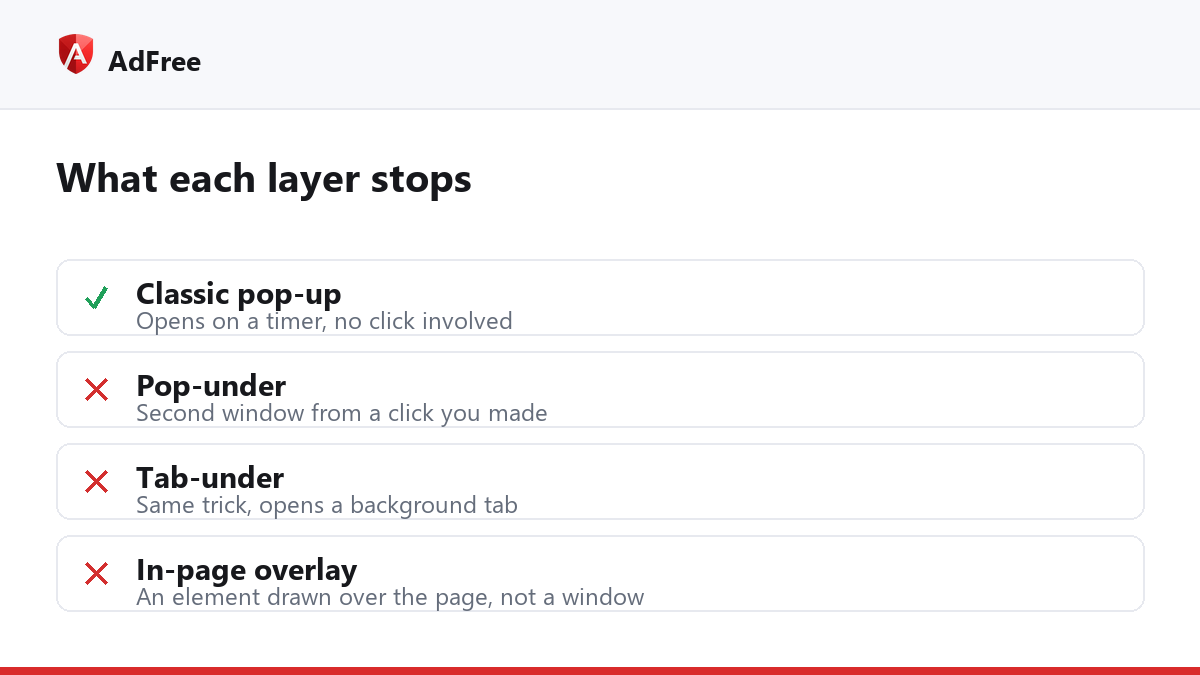
| Type | What it is | Stopped by the browser? |
|---|---|---|
| Classic pop-up | Window opened on a timer, no click | Yes, since 2008 |
| Pop-under | Second window from a click you made | No |
| Tab-under | Same trick, opens a background tab | No |
| Overlay | Element drawn over the page, not a window | No |
Only the first row is covered by the setting most people assume protects them. Google’s own pop-up documentation describes that setting, and it is worth leaving switched on — it simply was not designed for the other three rows.
How do you stop a pop-under ad?
Two layers do almost all the work, and they are complementary.
- Block the networks. Most pop-unders on the web come from a few dozen ad networks. Filter their hostnames and the tag never loads, so no window logic ever runs.
- Count windows per click. Allow the first window a genuine click opens, refuse the second. A log-in dialog or a payment window is always one window from one press, so this leaves them working.
A blocker that only does the second part will still let a fresh network through until a rule is written. One that only does the first is fine until the list falls behind. AdFree runs both, and keeps the pop-under network list switched on whenever blocking is on — the user guide shows where that lives.
Will blocking break sites I use?
Rarely, and when it does the fix is local rather than global. Sign-in dialogs, checkout windows and “open in a new tab” links are single windows from a real gesture, so a per-gesture guard ignores them. If a particular site does argue with the blocker, pause it for that site rather than turning everything off — one click, and the rest of the web stays filtered.
Why did one appear even with a blocker installed?
Usually because the tab was already open when the extension was installed or updated; extensions only take effect on pages loaded afterwards, so a reload fixes it. Failing that, the network is new and no rule covers it yet. Reporting the page is the fastest route to a rule, because a blocking rule needs the exact address that produced the window.
None of this requires much from you day to day. Keep the browser setting on, keep a filter list that covers the pop-under networks, and the average pop-under ad disappears from your evening entirely.
Stop paying attention to ads you never asked for
No account. No tracking. No cost.