
Notification spam is the stream of “You have won”, “Your PC may be at risk” and “Hot singles nearby” messages that slide into the corner of your screen, often when no browser tab is even open. It looks like malware, but in almost every case it is something smaller: at some point a website asked to send you notifications and the “Allow” button got clicked. Taking that permission back takes about a minute.
Where notification spam comes from
Websites can ask Chrome for permission to send notifications. Once allowed, the site can push messages through Chrome’s notification service at any time, even when you have closed the site, because the browser delivers them in the background. Legitimate sites use this for new mail or chat messages. Spam sites use it to show ads that look like system alerts.
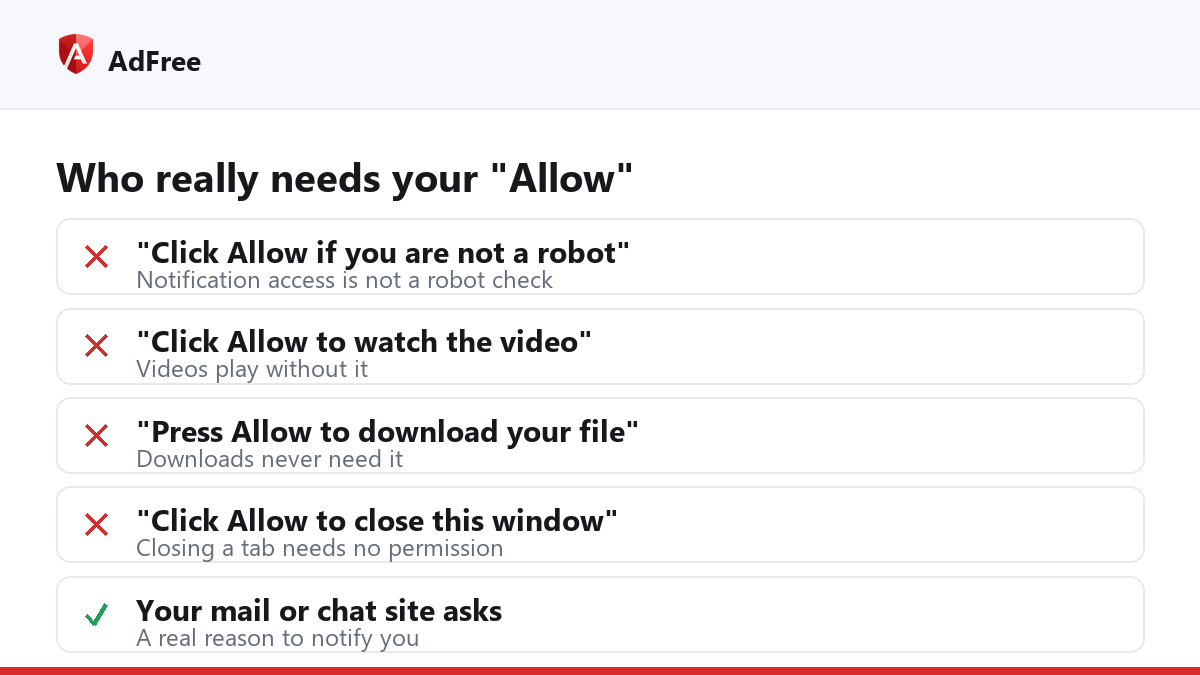
The permission is usually obtained with a trick. The page shows a fake instruction next to Chrome’s real permission prompt, so that “Allow” looks like part of something else:
- “Click Allow to confirm you are not a robot.”
- “Click Allow to watch the video.”
- “Press Allow to download your file.”
- “Click Allow to close this window.”
None of these need notification access. If a page asks for it to let you do something else, the answer is Block.
How to stop notification spam in Chrome
- Read the site name. Chrome’s notifications show the address of the site that sent them, usually in small print under the message. Note it down.
- Open the list of allowed sites. Go to Settings, Privacy and security, Site settings, Notifications, or paste
chrome://settings/content/notificationsinto the address bar. - Remove what you do not recognise. Under “Allowed to send notifications”, open the menu next to each unfamiliar site and choose Block or Remove. Keep the ones you use, such as your mail.
- Change the default. On the same page, either stop sites from asking at all, or turn on “Use quieter messaging”, which replaces the prompt with a small bell in the address bar.
- Check Safety Check. Chrome can remove notification permission from sites you no longer visit and from sites it considers abusive. Google’s help page on Chrome notifications explains where those removals are listed.
The quieter prompt has been in Chrome since Google introduced it in January 2020, in a post titled quieter permission UI for notifications. It is the best default for most people: sites that really need notifications can still be allowed with one click on the bell.
What if the notifications do not come from a website?
| Where the message says it is from | What sent it | Where to stop it |
|---|---|---|
| A web address, via Google Chrome | A site you allowed | Chrome’s Notifications settings |
| An extension’s name | An installed extension | chrome://extensions; remove it if you did not install it on purpose |
| A program’s name, not Chrome | Software on your computer | The operating system’s notification settings, then uninstall the program |
| Nothing listed and it keeps coming back | Settings changed by unwanted software | Chrome’s “Reset settings”, then a malware scan |
Can an ad blocker stop notification spam?
Not once the permission has been granted. Notifications are delivered by the browser itself, outside any web page, so there is no page for an ad blocker to filter. AdFree does not touch your notification settings; removing the permission, as above, is the fix.
Where a blocker helps is before that point. The pages that ask for notification access often open as pop-unders or through redirects from ad networks, and those are exactly what an ad blocker and a pop-up guard cut down. Fewer of those pages means fewer chances to click “Allow” by mistake. Our guide on how to block pop-up ads in Chrome covers that side.
Frequently asked questions
Is notification spam a virus?
Usually not. It is a permission a website was given. The messages themselves can lead to scam pages, though, so do not click them before you remove the permission.
Why do I get notifications when Chrome is closed?
Chrome may keep running in the background so that apps and notifications can reach you. If you want that off, look for “Continue running background apps when Google Chrome is closed” in Chrome’s System settings.
Do I get these notifications in Incognito?
No. According to Google’s help page, notifications are not delivered while you are browsing privately.
Will blocking a site’s notifications break the site?
No. The site works exactly the same; it just cannot send you messages when you are not looking at it.
Notification spam stops the moment you take the permission away, and it does not come back unless “Allow” gets clicked again. Clean the list once, switch to the quieter prompt, and treat every page that asks for notifications to let you do something else as a page to close.
Stop paying attention to ads you never asked for
No account. No tracking. No cost.