
Ad blocker filter lists are the part of a blocker that does the deciding. The extension is the engine; the lists tell it which requests to refuse and which page elements to hide. Two blockers with the same engine and different lists behave very differently, which is why it is worth knowing what is inside one and where it comes from.
What a filter list is
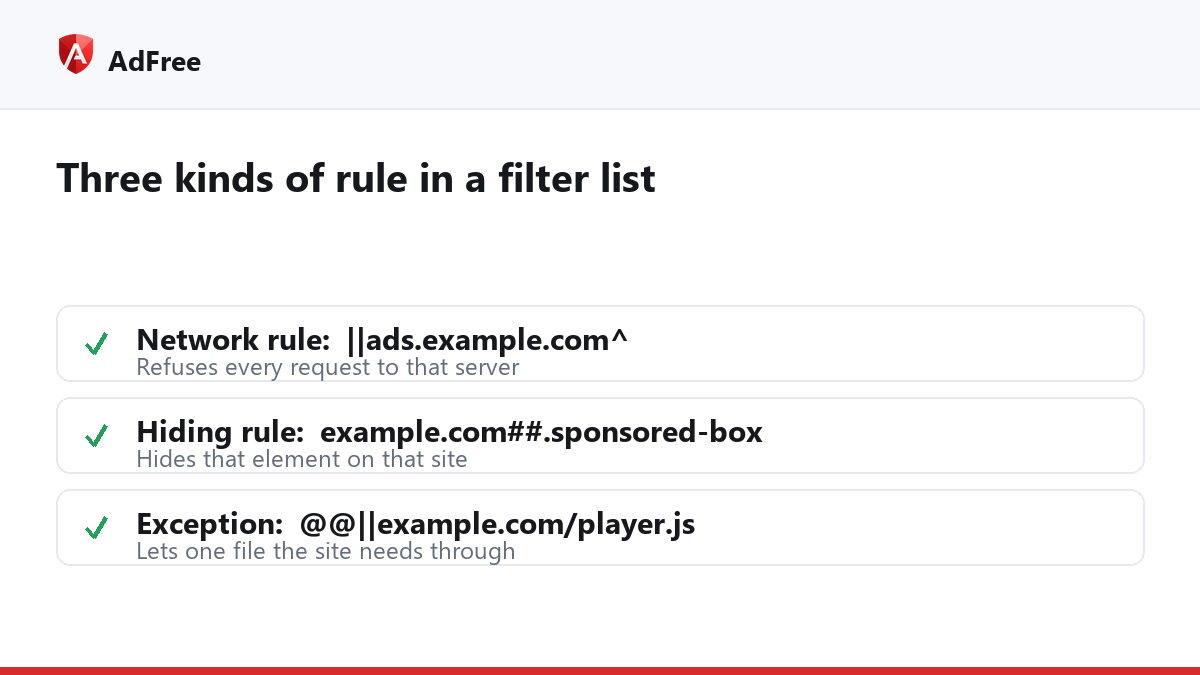
A filter list is a plain text file, often tens of thousands of lines long, where each line is one rule. Most lists use the same widely shared syntax, so a rule written for one blocker usually works in another. There are three kinds of rule:
- Network rules name an address to refuse.
||ads.example.com^blocks every request to that server. - Hiding rules name a page element to hide.
example.com##.sponsored-boxhides boxes with that class on that site. - Exceptions undo a rule where it causes trouble.
@@||example.com/player.jslets one needed file through.
In Chrome, network rules end up in the browser’s own rule format for extensions, which is how the browser can check every request quickly; our article on how ad blockers work covers that step.
Who writes ad blocker filter lists?
Mostly volunteers. The best-known general list, EasyList, has been maintained by a small team with community help for many years, and its rules are developed in the open. Other lists focus on tracking, on annoyances such as cookie banners, or on a single country.
Reports drive almost all of it. Someone sees an ad that got through, reports the page, and a maintainer writes a rule. That is why a list is only as current as its last report, and why an ad network’s new address can slip through for a while.
Why regional lists exist
Ad networks are local. A list written mostly from English-language sites knows little about the networks used on Russian or Japanese news sites, so regional lists fill that gap. If you read sites in more than one language, the matching regional lists make a visible difference.
| Kind of list | What it covers | Turn it off if |
|---|---|---|
| General ads | Ad networks and ad boxes worldwide | Almost never |
| Tracking | Analytics and tracking servers | A site you rely on breaks with it on |
| Regional | Ad networks of one country or language | You never visit those sites |
| User reports | Ads reported by the blocker’s own users | Rarely; it is the most specific list |
The lists in AdFree
AdFree shows its lists under “Blocklists” in the toolbar pop-up, and each can be switched on or off: General ads & trackers, Community rules, Tracking & telemetry, Russian ad networks, Japanese sites, and From user reports. The last one is built from the “Report an ad on this page” button: a report sends the page address, and the ad is blocked in a future update.
The lists ship inside the extension rather than being downloaded from a server while you browse. Every change goes out as an extension update, which the browser’s store reviews first. The trade-off is speed: a new rule reaches you when the next update does, not within the hour.
More lists is not always better
- Overlapping lists repeat the same rules and add little.
- Aggressive lists catch more, and break more.
- Browsers limit how many rules an extension may use, so a blocker has to choose.
Frequently asked questions
Can I add my own filter list to AdFree?
No. AdFree uses its built-in lists. To get an ad blocked, report it from the pop-up.
Why did a list I switched off come back?
It should not. The setting is saved. If it seems to have changed, check that you are using the same browser profile.
Are filter lists the same as a DNS blocklist?
Related, but not the same. A DNS blocklist can only refuse whole domains, while browser filter lists can block single files and hide elements.
Ad blocker filter lists are text files of rules written mostly by volunteers and driven by reports. Keep the general list on, add the regional lists you need, and report the ads that still get through.
Stop paying attention to ads you never asked for
No account. No tracking. No cost.